The LeadsDesk Style Guide
One set of rules for how LeadsDesk looks and feels: colors, type, spacing, icons, components and the conversation timeline, in light and dark mode.
LeadsDesk started as a feature-for-feature match of Follow Up Boss. This guide is how it becomes its own product. Every value lives in one file, tokens.css, and the reference components in components.css. This page is itself built with them, so flip the theme switch at the top to see every example in dark mode.
Brand & personality
LeadsDesk is the calm, fast desk a leasing team lives in all day. It should feel like this:
We are
- Calm. Quiet surfaces, one accent color, color only where it carries meaning.
- Conversational. The person and the conversation sit in the middle of everything.
- Fast. Tight spacing, clear hierarchy, no hunting for buttons.
- Friendly but professional. Soft corners and rounded icons, plain words.
We are not
- A FUB look-alike: no reused FUB icons, blues or layouts copied pixel-for-pixel.
- Loud: no gradients, neon or heavy shadows inside the app.
- Cramped: no 11px gray-on-gray text.
- Inconsistent: one icon set, one type family, one radius scale.
Brand color
LeadsDesk Teal (--ld-accent) matches the teal L favicon. It is used for primary actions, the selected state and links. It is deliberately not FUB's sky blue. Fat Property's three apps keep their own favicon colors (Leads teal, PM orange, Team green).
Voice in the UI
Sentence case for everything ("Add person", not "Add Person"). Verbs on buttons. Bots are labeled Assistant. Times are relative under 24 hours ("12m", "3h"), then dates ("Oct 27").
Refresh instruction for a coding agent
When the big bugs are fixed, paste this to the coding agent to apply the style:
Refresh the LeadsDesk (Leads) app UI to follow the LeadsDesk Style Guide at https://leadsdesk.io/style-guide/ . Do not change behavior, data or routes; this is a visual refresh only.
1. Copy https://leadsdesk.io/style-guide/tokens.css into the app as the single source of truth for colors, type, spacing, radius, shadows and motion. Theme switches with <html data-theme="light|dark">.
2. Replace every hard-coded color (#fff, white, hex, rgb, inline styles) in the app CSS and JS templates with the matching token. Remove one-off font-family declarations; use var(--ld-font) (Inter) everywhere.
3. Rebuild buttons, inputs, tabs/sub-nav, cards, tables, badges, chips, menus, tooltips, modals, toasts, avatars and empty states to match https://leadsdesk.io/style-guide/components.css and the examples on the guide page.
4. Replace all icons and hover glyphs with Lucide (lucide.dev, ISC license): 16px, stroke 1.75, currentColor, muted until hover. Do not reuse Follow Up Boss icon files.
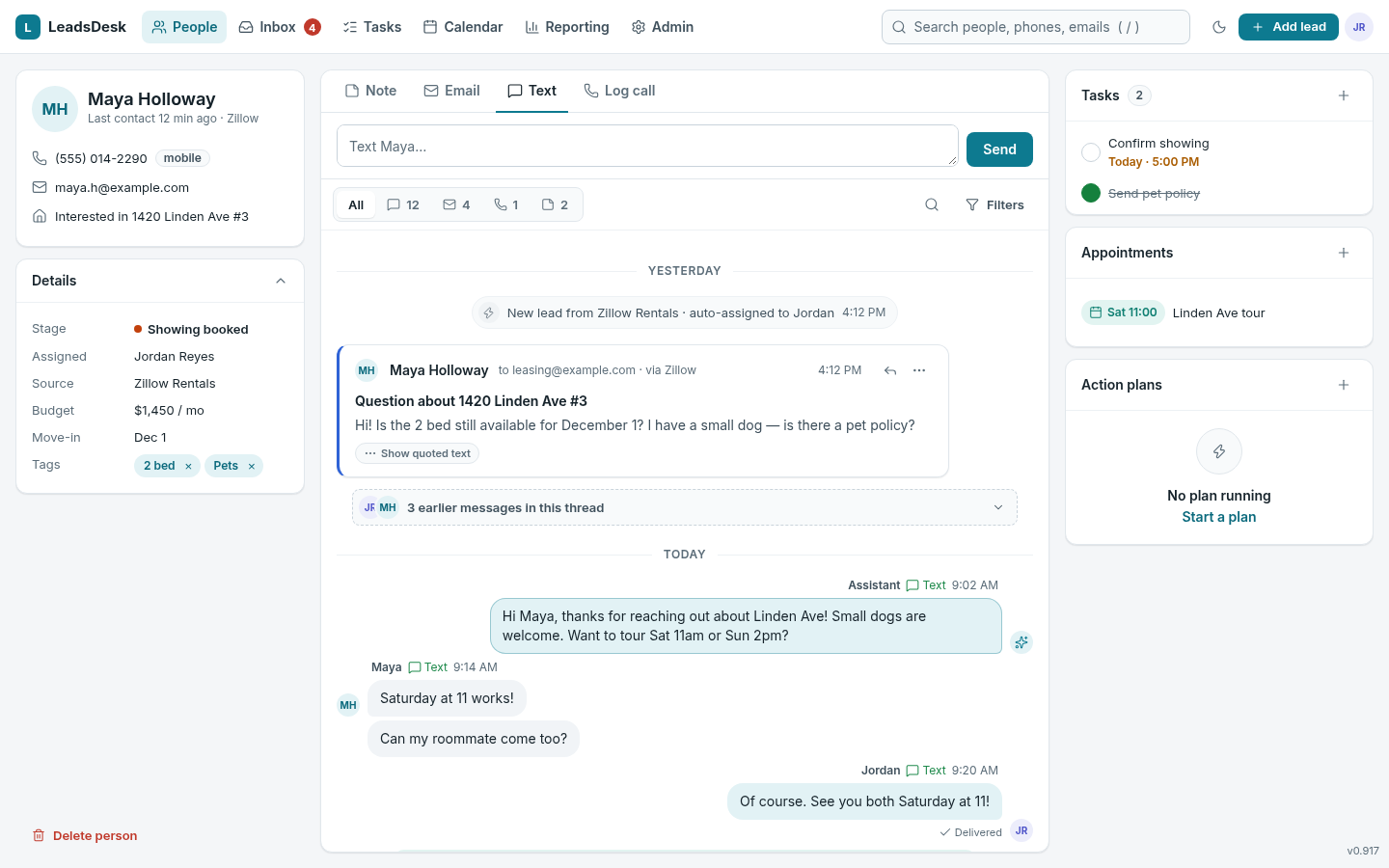
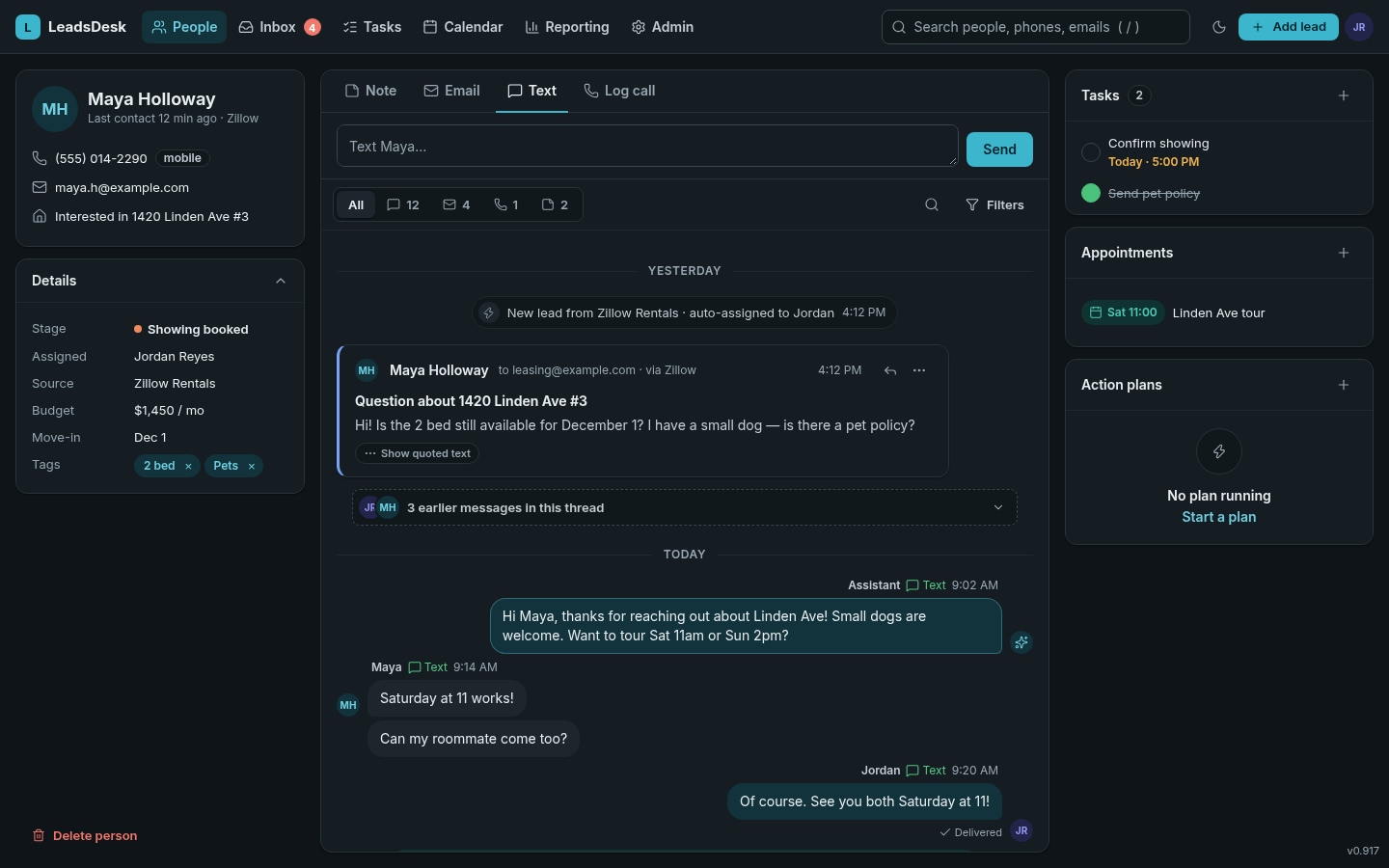
5. Rebuild the person-page timeline per the "Conversation timeline" section: inbound left / outbound right bubbles, per-channel event colors, grouping, email cards, collapsed threads and quoted-text folding.
6. Match the before/after mockups for the person page, people list and tasks in both themes.
7. Verify: click every screen, popup, dropdown, tooltip and hover glyph in light and dark mode; no white patches in dark; all text meets WCAG AA contrast; keyboard focus rings visible. Post screenshots of each main screen in both themes.
Before / after
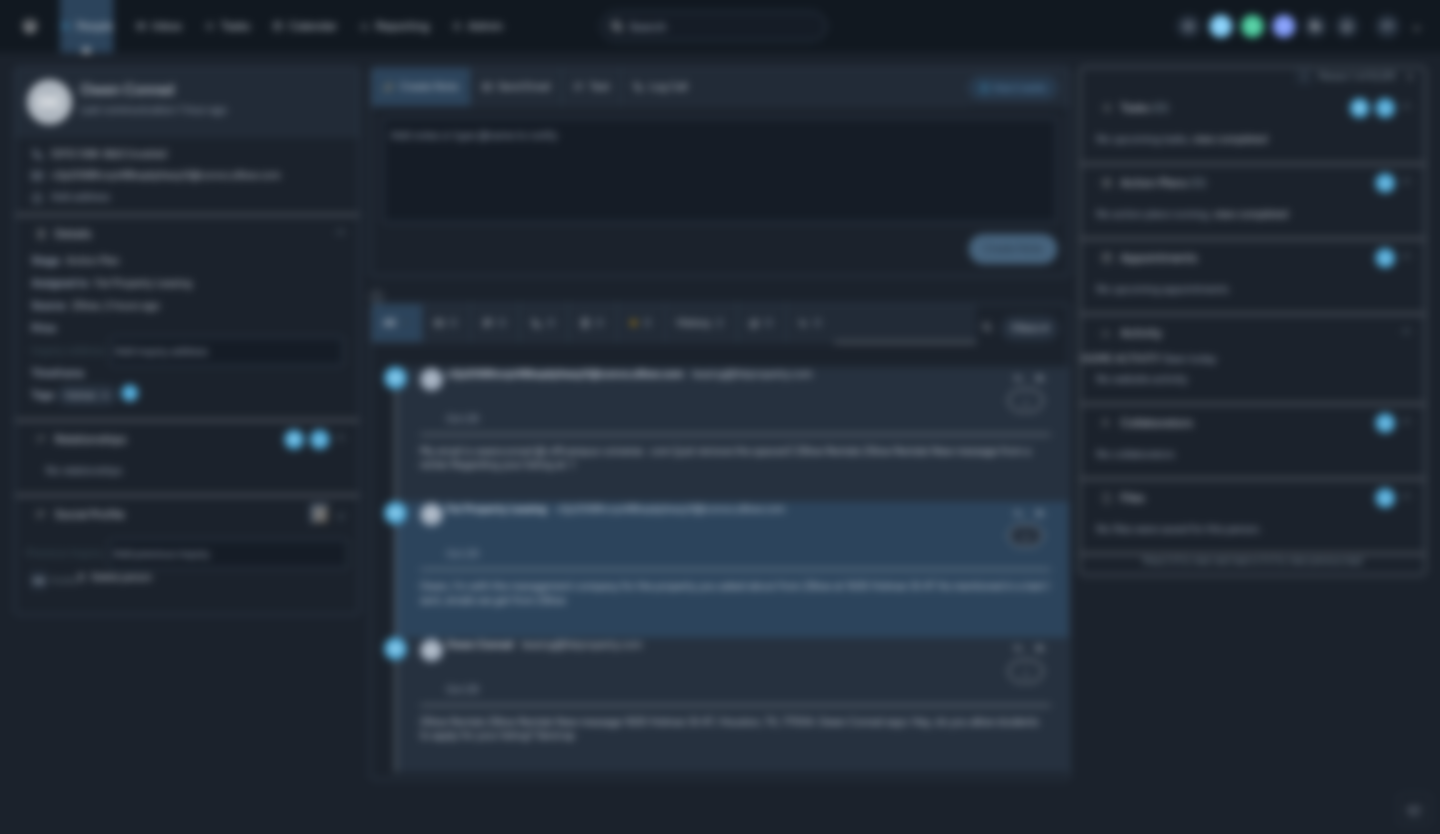
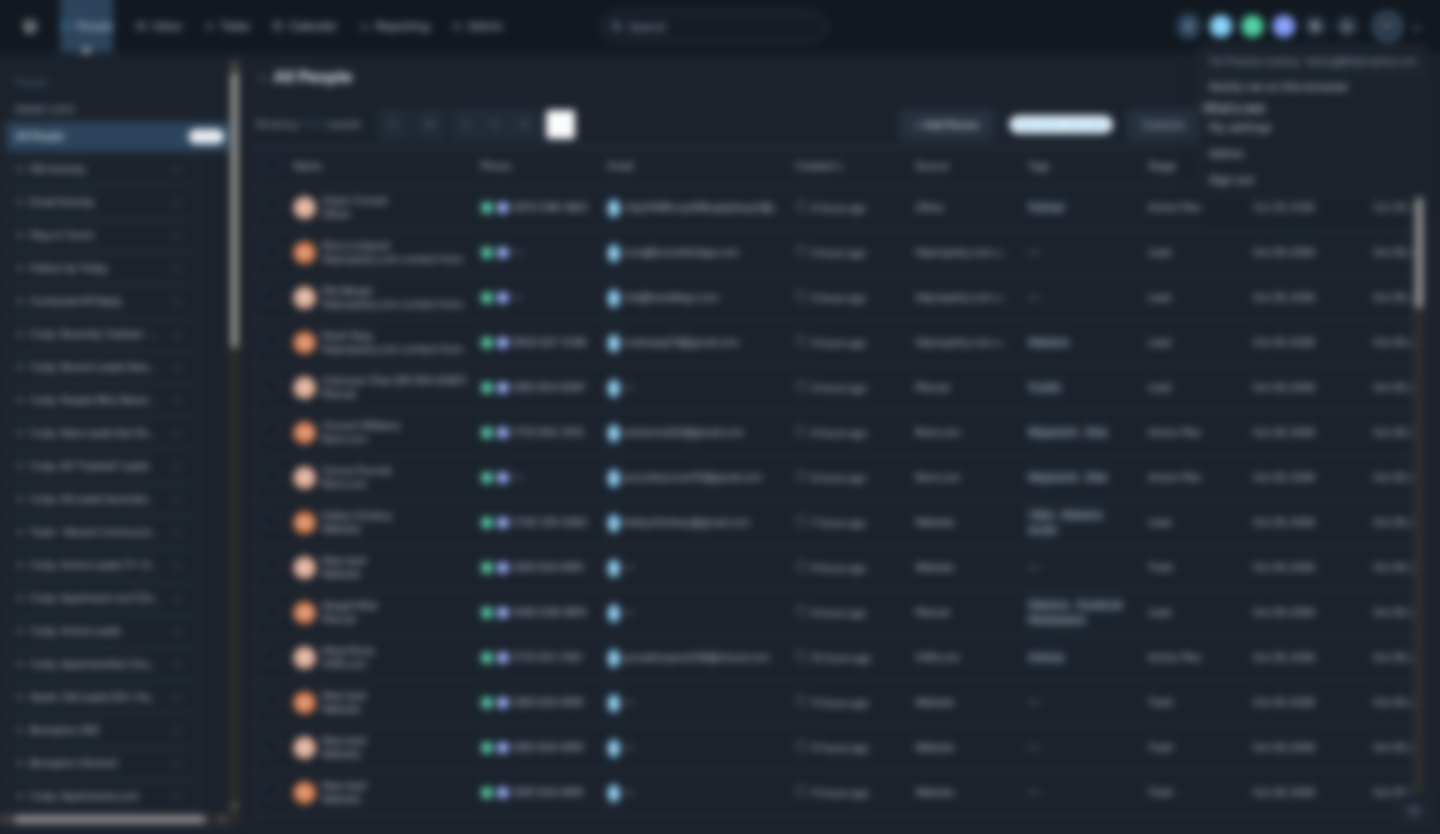
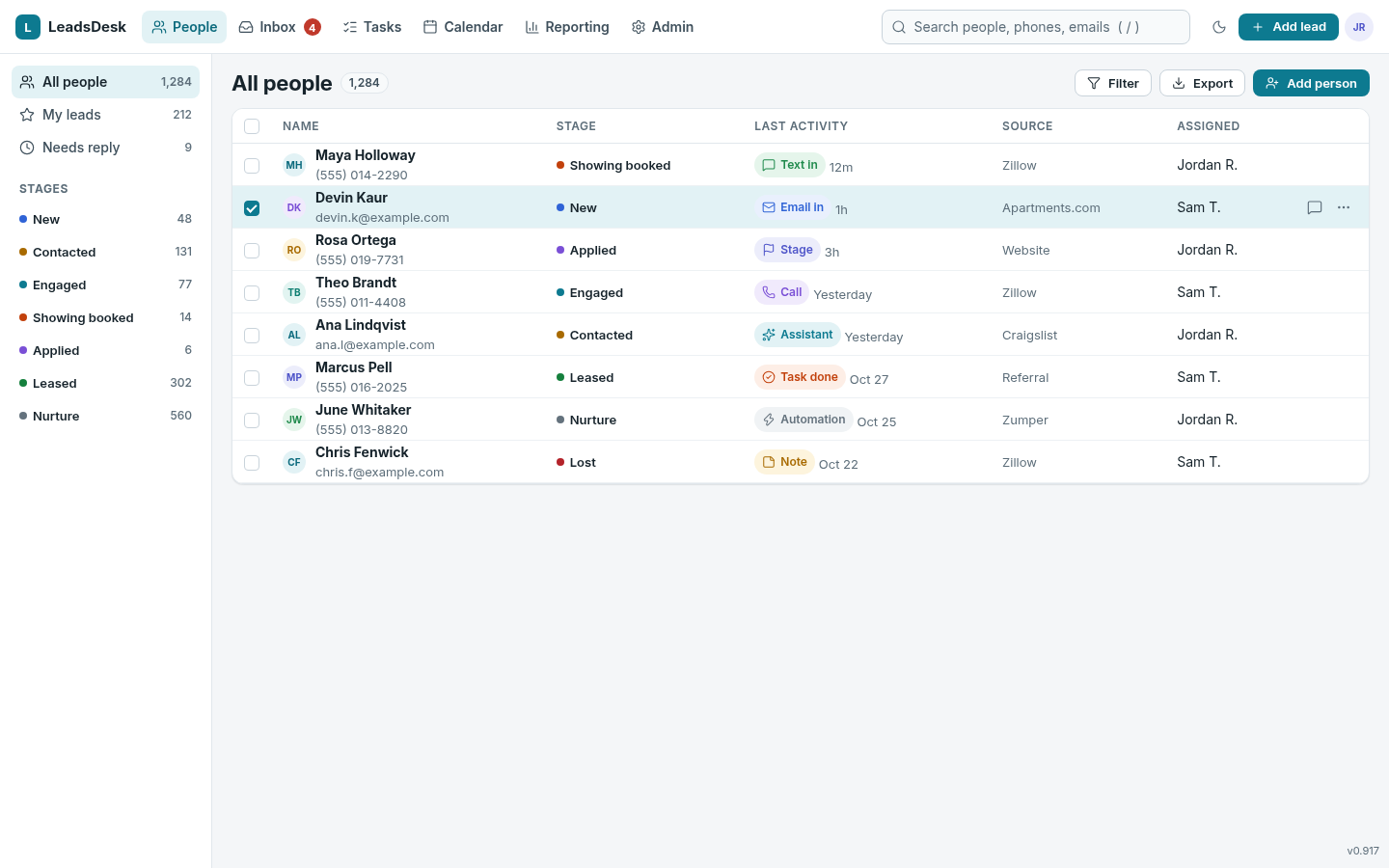
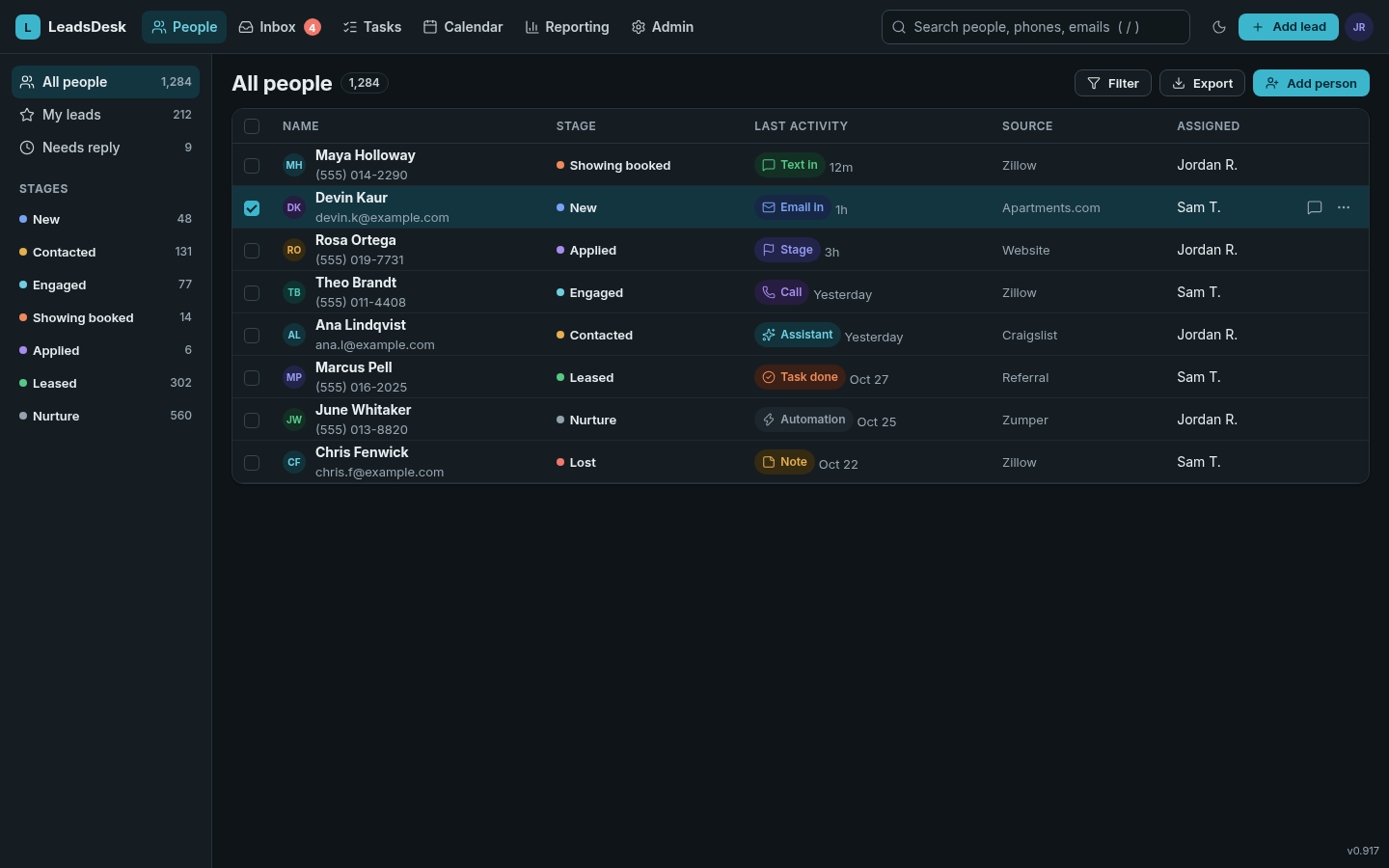
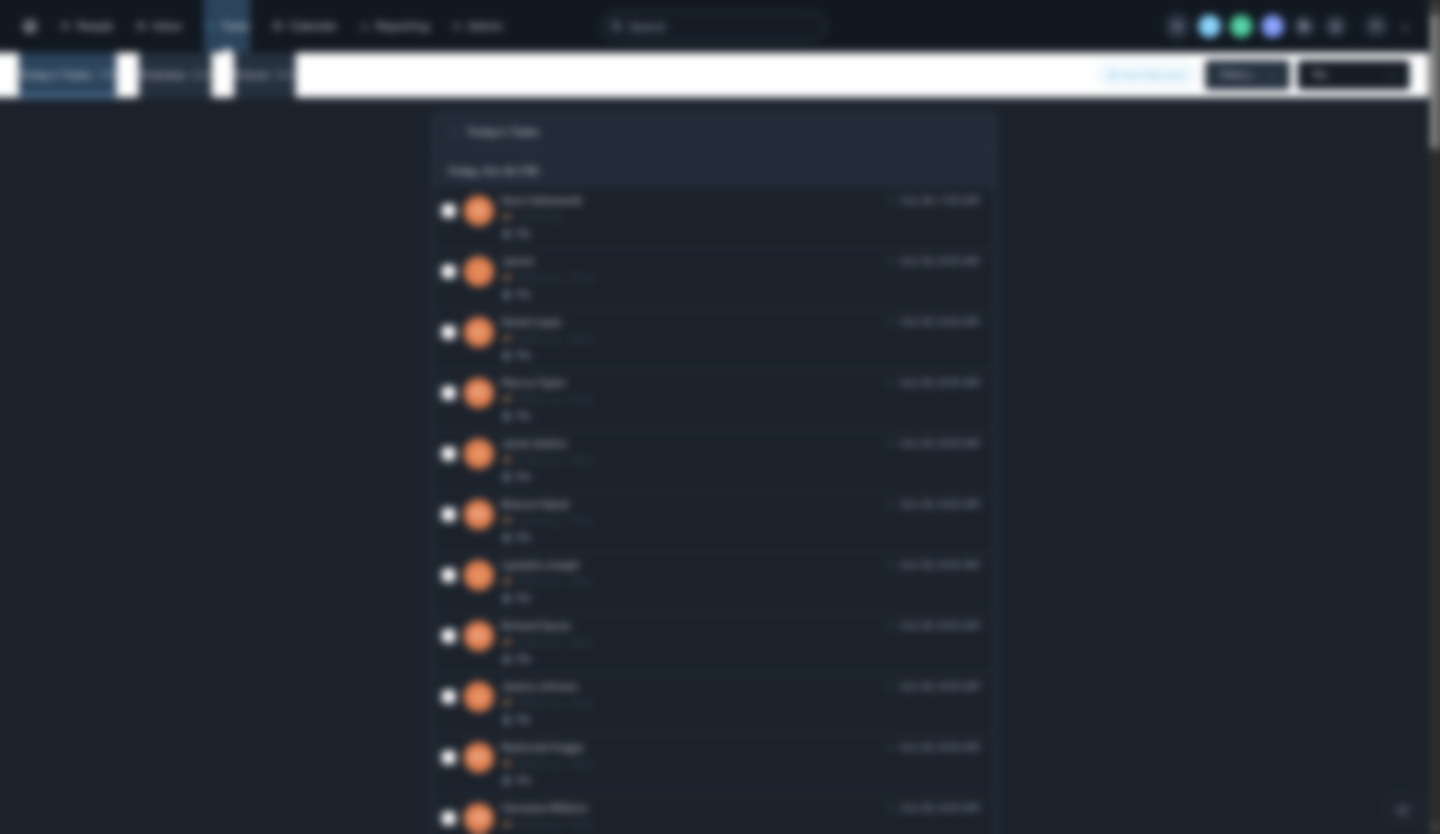
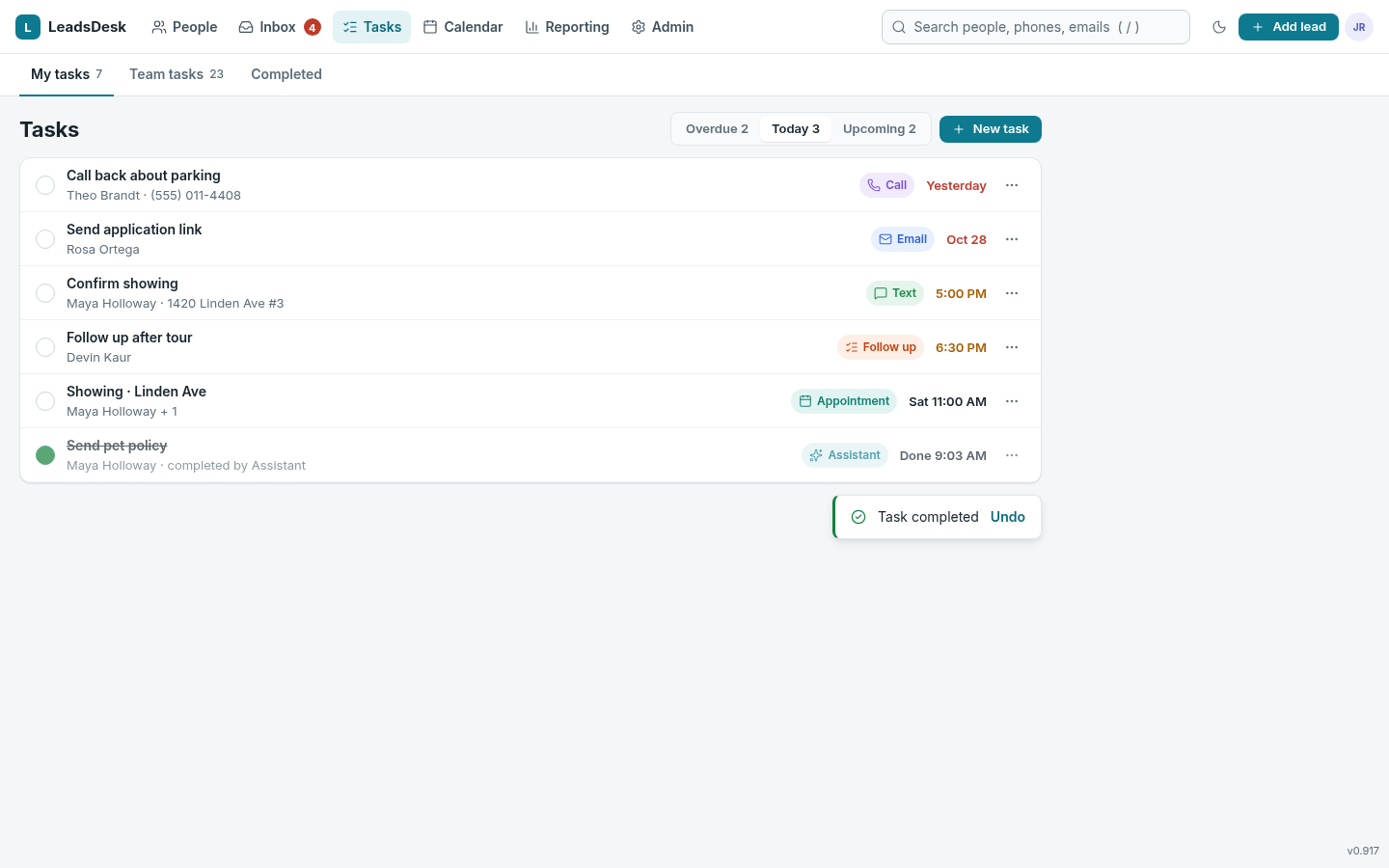
"Before" is the current LeadsDesk (v0.917) in dark mode; text is blurred to protect lead privacy, but the layout and color problems are visible: white tab bars, untinted cards, too-dim gray text and mixed icons. "After" is the same screen redrawn with this guide using made-up data. Click any image to enlarge.
Person page with timeline
People list
Tasks
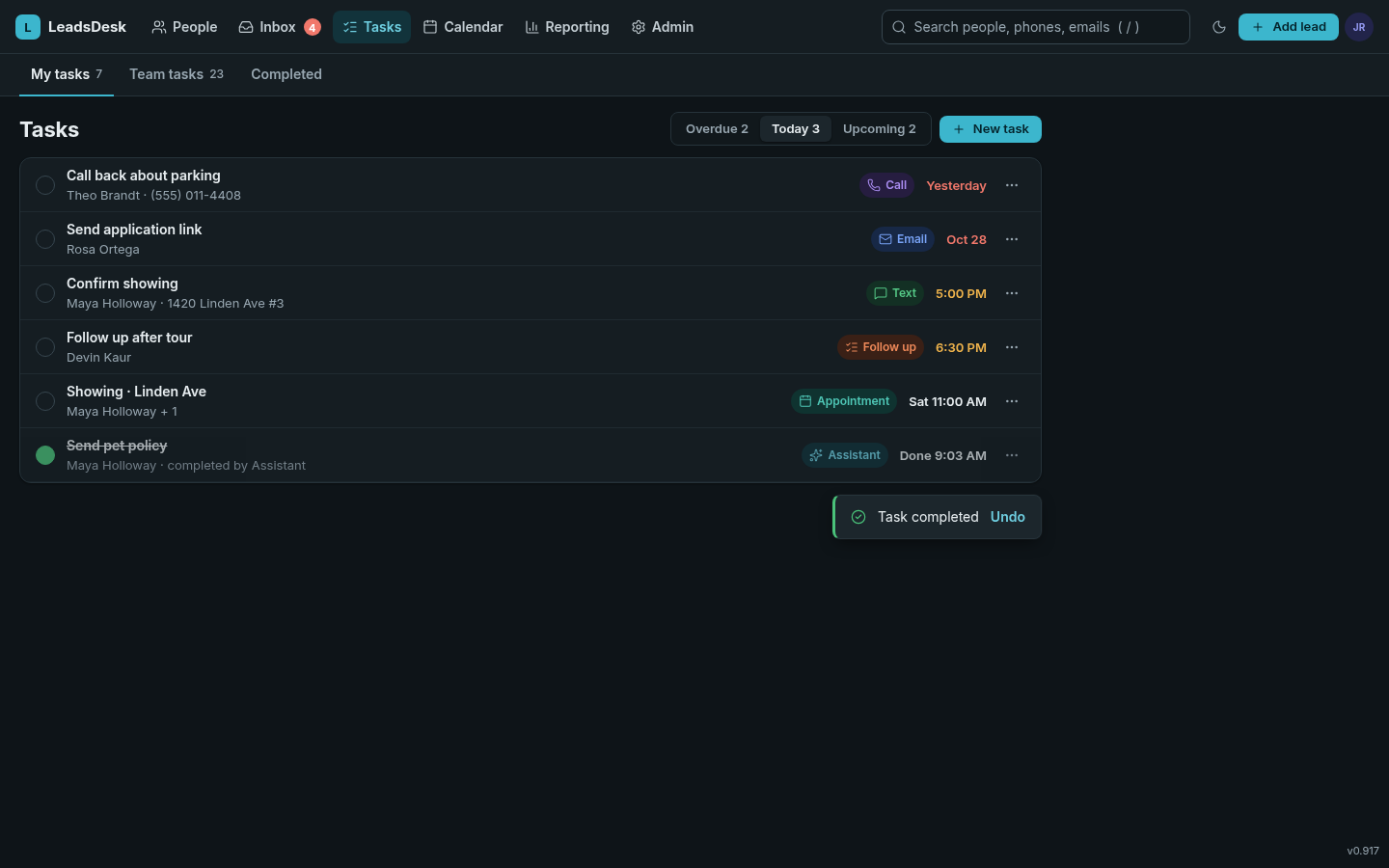
Live versions of these mockups: person, people, tasks (add &theme=dark).
Color tokens
Every color is a CSS variable with a light and a dark value. Components may only use these variables. The swatches below are live: they read the current theme, and the corner tag shows the contrast ratio of the text tokens against --ld-surface (4.5 or more passes WCAG AA).
Surfaces
Text
Borders & accent
Semantic & status colors
Use these only to mean something: success, warning, danger or info. Each has a strong color (text, icons, borders) and a soft color (backgrounds).
Event & activity colors
Each kind of timeline event has its own color pair: --ev-* for the icon, rail and label, and --ev-*-soft for its tinted background. Color is never the only signal: every event also has its own icon and label.
| Event | Token | Icon | How it shows in the timeline |
|---|---|---|---|
| Inbound text | --ev-text | Left bubble, neutral; green "Text" label | |
| Outbound text | --ev-text | Right bubble, teal tint; green "Text" label, delivery status | |
| Inbound email | --ev-email | Card, blue left edge, indented from right | |
| Outbound email | --ev-email | Card, blue left edge, indented from left | |
| Call logged | --ev-call | Violet tinted card: direction, length, outcome, notes | |
| Note | --ev-note | Amber tinted card with author | |
| Task created / completed | --ev-task | Orange pill: "Task created" or "Task completed" | |
| Stage change | --ev-stage | Indigo pill: "Engaged → Showing booked" | |
| Appointment | --ev-appt | Green-teal card with date, place, who | |
| System / automation | --ev-system | Gray pill: lead created, assigned, plan step | |
| Bot-authored (Assistant) | --ev-bot | Right bubble with teal outline, sparkle avatar, "Assistant" |
Lead stage colors
Stages show as a colored dot plus the name (never colored text on its own). Order follows the leasing funnel.
--st-newContacted--st-contactedEngaged--st-engagedShowing booked--st-showingApplied--st-appliedLeased--st-leasedNurture--st-nurtureLost--st-lostTrash--st-trashTypography
Inter for all UI text (free, open source, designed for screens, with clear numbers). Fallback: system UI font. JetBrains Mono only for code and IDs. One family in the whole app; remove the current mix of Segoe UI and Helvetica.
--fs-3xl 28/34 · 700Page titles on dashboards--fs-2xl 22/28 · 700Screen title · All people--fs-xl 18/26 · 650Person name, modal title--fs-lg 16/24 · 600Section headings--fs-md 14/20 · 400Default body, table cells, messages--fs-sm 13/18 · 500Labels, secondary lines, buttons-small--fs-xs 12/16 · 600TIMESTAMPS, BADGES, TABLE HEADERSWeights: 400 body, 500 labels, 600 buttons and emphasis, 650–700 titles. Never below 12px. Use tabular numbers (font-variant-numeric: tabular-nums) in tables and counts.
Spacing & grid
Everything sits on a 4px grid. Use the tokens, never odd values like 7px or 13px.
--sp-14px--sp-28px--sp-312px--sp-416px--sp-520px--sp-624px--sp-832px--sp-1040px--sp-1248px| Use | Value |
|---|---|
| Inside a button / chip gap | --sp-2 8px |
| Card padding | --sp-4 16px |
| Gap between cards / columns | --sp-4 16px |
| Between page sections | --sp-8 32px |
| Control height / small control | 36px / 28px |
| Table row | 44px (56px with two lines) |
App grid
Top bar 56px. Person page: three columns, 300px left (who they are), flexible center (the conversation), 320px right (tasks, appointments, plans), 16px gutters. Lists: 220px filter sidebar plus a flexible content area. Below 1100px the right column moves under the center; below 760px everything stacks.
Radius
--r-xs--r-sm--r-md--r-lg--r-xl--r-pillInputs and buttons 8px, cards 12px, modals 16px, chips and pills fully round. Message bubbles 16px with a 6px "tail" corner on the sender side.
Elevation & shadows
Three levels only. In dark mode shadows are darker and add a faint light edge, because shadows barely show on dark backgrounds; use lighter surfaces (--ld-raised) to show height instead.
Borders & dividers
1px everywhere. --ld-border around cards, --ld-border-strong around inputs and checkboxes (they need to be findable), --ld-divider for lines inside a card. Selected tabs use a 2px accent underline. Never use borders and heavy shadows together.
Iconography & glyphs
Use Lucide (free, ISC license) for every icon and hover glyph. Its rounded line style is soft and light, which is what people preferred in the trash-can test. Never copy Follow Up Boss icon files.
Rules
- Size 16px in UI, 14px in chips and small buttons, 20px in empty states and nav when alone.
- Stroke 1.75 at every size (set with
--icon-stroke). - Color
currentColor: muted at rest, text color on hover, red only on hover for destructive glyphs. - Icon and label: 8px gap, centered on the text's middle (not its baseline).
- Icon-only buttons need a 28px hit area, a tooltip and an
aria-label.
Avoid
- Mixing sets, emoji or filled and outline styles.
- Solid red trash cans sitting on the page; danger color appears on hover or in the confirm dialog.
- Glyphs in circles with borders (the current "…" pill).
- Icons smaller than 14px.
Hover glyphs (edit, copy, delete)
Hidden until the row or message is hovered or focused, then fade in over 120ms. Always in the same order, at the right edge: Reply · Edit · Copy · More (…). Delete lives inside More, or as a quiet text button.
Icon map
usersuseruser-plusinboxlist-checkscircle-checkcalendarcalendar-checkchart-columnsettingssearchfunnelmessage-squaremailphonephone-outgoingphone-incomingsticky-noteflagzapsparklespencilcopytrash-2ellipsisreplyforwardpaperclipstarxchevron-downdownloadexternal-linkinfotriangle-alerthousesunmoonInputs & selects
Labels sit above fields, never as placeholder only. Focus shows the accent border plus a 3px soft ring. Errors: red border plus a message that says how to fix it.
Tabs & sub-nav
Sub-nav bars (under Tasks, Reporting, Admin, My settings) use --ld-surface, never white, with a 2px accent underline on the active tab. Use the segmented control for filters inside one view, such as the timeline filters.
Cards & tables
Tables: uppercase 12px headers in muted color, 44px rows, only horizontal dividers, hover row tint, selected row --ld-selected. Row actions appear on hover at the right.
Badges, chips & avatars
Badge: read-only label or count. Chip: a removable value such as a tag. Count pill: unread items only. Avatars: leads use accent-soft initials, teammates use indigo, the Assistant uses a sparkle on teal. Never use empty gray circles.
Menus, tooltips & modals
Menus and modals use --ld-raised plus shadow 2 or 3. Destructive items go last, below a divider. Tooltips appear after 400ms, sit above the target, and are short (no full sentences).
Toasts & empty states
Toasts: bottom-right, 5 seconds, with an Undo when possible. Empty states: an icon, one plain sentence, and the next action as a link.
Conversation timeline
The center of the person page. Goal: read a whole relationship at a glance, like a chat app, with emails and events woven in without noise.
> New message about 1420 Linden Ave #3…
Rules
| Alignment by sender | The lead's messages sit on the left in a neutral bubble (--ev-inbound-bubble). Ours (teammates, Assistant, automations) sit on the right in a teal-tinted bubble (--ev-outbound-bubble). Max width 78% for texts. |
| Who said it | Small avatar on the outer edge, sender name and channel label above the first bubble of a group. Assistant messages get the sparkle avatar, a thin teal outline and the name "Assistant". |
| Grouping | Messages from the same sender, same channel, within 5 minutes form one group: one header, one avatar on the last bubble, 4px between bubbles, 12px between groups. |
| Timestamps | Time in the group header ("9:14 AM"); full date and time in a tooltip. Day dividers ("Today", "Yesterday", "Mon Oct 27") between days. Delivery status under the last outbound bubble only. |
| Email cards | Emails are full-width cards, not bubbles: a 3px blue left edge, sender, recipients line in muted text, time, subject in 650 weight, body at 21px line height. Inbound cards are indented 12% from the right, outbound 12% from the left, so sides still read at a glance. Reply and Forward in a quiet footer. |
| Quoted-text folding | Strip quoted history and signatures from each email by default and show a small "… Show quoted text" pill. Expanding reveals the quote with a 2px left rule in muted color. |
| Thread collapse | Long email threads show the newest message only, with a dashed "3 earlier messages in this thread" bar with stacked avatars and a chevron. Click to expand in place; a "Hide earlier messages" control replaces it. |
| Events | Small events (system, stage change, task done) are centered pills with icon, sentence and time. Events with content (call log, note, appointment) are tinted cards with their event color. Never full-width colored bars. |
| Order & scroll | Oldest at top, newest at the bottom right above the composer, auto-scroll to newest on open. Filter with the segmented control (All / Texts / Emails / Calls / Notes). |
| Hover glyphs | Reply, Copy, More appear beside the bubble or in the card header on hover or keyboard focus. |
Motion
Quick and quiet. Hover and color changes 120ms; menus, tooltips and toasts fade and slide 4px in 180ms; panels and thread expand 260ms with --ease. No bouncing and nothing over 300ms. Respect "reduce motion": turn transitions off.
Accessibility
- Body and muted text meet WCAG AA: 4.5:1 against its background (see the live tags on the text swatches). Icons and borders that carry meaning: 3:1.
- Visible focus ring (
--ld-focus-ring) on every interactive element; never remove outlines without a replacement. - Click targets at least 28×28px; 36px for main buttons.
- Never use color alone: stages have names, events have icons and labels, errors have text.
- Icon-only buttons have
aria-labeland a tooltip. Timeline is a list with readable order. - Full keyboard use:
/search,[]previous/next lead, Esc closes menus and modals.
Dark-mode rules
- Never write
#fff,white,#f5f5f5,rgb(…)or inlinestyle="color:…"in components or JS templates. - Dark is not inverted light: backgrounds are blue-gray (not pure black), text is off-white (not pure white), and colors are lighter and softer so they don't glow.
- Raised things get lighter in dark mode (bg → surface → raised), instead of relying on shadows.
- Images and logos with white boxes get a surface-colored container.
- Test every screen, popup, dropdown, tooltip and hover glyph in both themes before shipping. Known offenders from the Oct 29 audit: sub-nav tab bars, the shared card component, search dropdown, calendar grid, download button, dim muted text.
- The theme follows the computer's setting until the user picks one, then is saved.
Glossary
Plain-word meanings of the design terms in this guide.
- Design system / style guide
- The rulebook for how an app looks and behaves, so every screen and every developer makes the same choices.
- Token (design token)
- A named value, like
--ld-accent, used instead of a raw color or size. Change the token once and every screen updates. - Theme
- A full set of token values, such as light or dark.
- Surface
- Any background something sits on: the page, a card, a menu.
- Elevation
- How "lifted" something looks, shown with shadows or lighter surfaces. Menus float above cards, modals above everything.
- Accent / primary color
- The brand color used for the main action and selection. Ours is LeadsDesk Teal.
- Semantic color
- A color that means something: green for success, amber for warning, red for danger.
- Contrast ratio / WCAG AA
- How much text stands out from its background. WCAG is the accessibility standard; AA requires at least 4.5:1 for normal text.
- Type scale
- The fixed set of text sizes the app is allowed to use.
- Line height
- The vertical space each line of text takes up.
- Weight
- How thick the letters are: 400 regular, 600 semibold, 700 bold.
- Spacing scale / grid
- The allowed gaps (4, 8, 12, 16px…) so things line up.
- Radius
- How rounded corners are.
- Stroke
- The line thickness of an outline icon.
- Glyph
- A small icon, here the ones that appear on hover, like edit, copy and delete.
- Icon set
- A family of icons drawn in one style, like a font for pictures. We use Lucide.
- Component
- A reusable building block: button, input, card, menu.
- Chip / badge / pill
- Small rounded labels. Chips can be removed (tags); badges just show info; pills are any fully-rounded shape.
- Tooltip
- The little label that appears when you hover something.
- Toast
- A short message that pops up in a corner and goes away ("Task completed · Undo").
- Modal
- A box that opens over the page and must be answered or closed.
- Empty state
- What a section shows when there's nothing in it yet.
- Sub-nav / tabs
- The second row of navigation under the main menu.
- Timeline
- The history of everything with one person, in order.
- Bubble
- The rounded box around a text message.
- Grouping
- Showing several back-to-back messages from one person under one name and time.
- Quoted text folding
- Hiding the old copied email history under a "Show quoted text" button.
- Hover state / focus state
- How something looks when the mouse is over it, or when it's selected with the keyboard.
- Motion / easing
- Animation speed and how it speeds up and slows down.
- Responsive
- The layout adjusts to screen size, from wide monitors to phones.
- Mockup
- A picture of how a screen will look, made before the real code changes.
- Multi-tenant
- One app serving many companies, each with its own separate data.
Versioning
Current builds are numbered 0.9xx (for example 0.917 instead of "version 917"). LeadsDesk becomes 1.0 when three things are done:
- The remaining big bugs are fixed.
- This style guide is applied across the app.
- Sign-in moves to the new address (company.leadsdesk.io, starting with fp.leadsdesk.io).
After 1.0: 1.x for regular releases, 2.0 for a major redesign or breaking change. This guide is versioned too: v1.0 draft, Oct 29, 2026.